


Kavon

Describe it. Kavon builds it in Studio.

  • Reads your game before it changes anything
  • Runs the game and checks the console
  • Every change can be undone with Ctrl+Z
  • Makes 3D models and thumbnails too
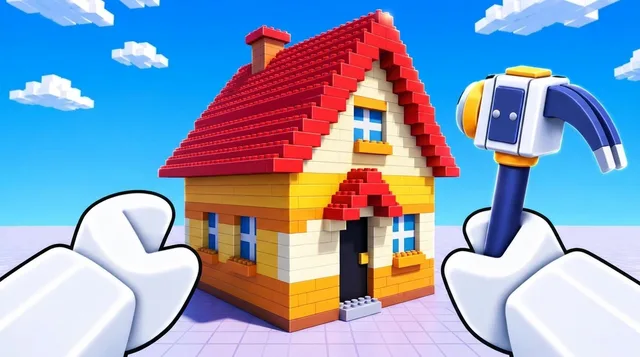
ThumbnailsThumbnail made with Kavon: a car chase
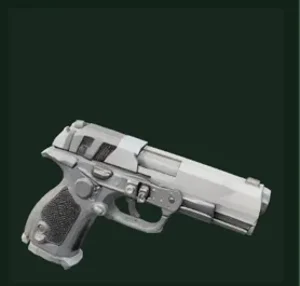
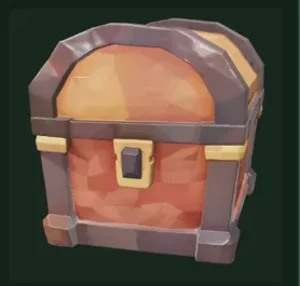
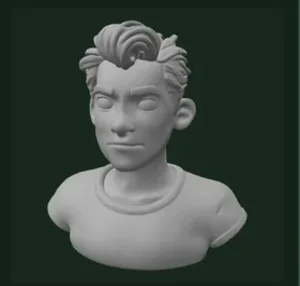
3D models

Join 50+ developers in making games easier and better with Kavon. Paid plans from €9.99 a month.

For developers, by developers.
or use your email
Used last time

Reset your password

Enter your email and we will send you a link to choose a new password.

Choose a new password

Use at least 8 characters.

✉

Check your email

We sent a code and a confirmation link to

Type the code below, or open the link. This page continues on its own.

Step 1 of 3
or use your email

One quick question

Where did you hear about Kavon AI?

Welcome to Kavon

Pick a plan to start. You can change it any time.

Free

Get a taste of how Kavon feels.

€0/forever
  • 20,000 one time credits for scripting ⓘ
  • Sounds search and use
  • Decals search and use
  • Safe undo for every change, always free
  • Not included
  • 3D models
  • Thumbnails
  • Rollover credits
  • Theme colours
Recommended

Pro

Amazing AI, for complex systems, with 9x the credits of the Free plan

€10.99/month
+ tax (not included in this price)
  • 180,000 credits a month ⓘ
  • Access to 3D models, with textures
  • Thumbnails and icons generation
  • Sounds search and use
  • Decals search and use
  • 5% of unused credits roll over
  • 3 theme colours
  • Not included
  • Elite Kavon
  • Fastest replies

Plus

Great AI, for bigger systems, a step up from Pro

€22.99/month
+ tax (not included in this price)
  • 375,000 credits a month ⓘ
  • Access to 3D models, with textures
  • Thumbnails and icons generation
  • Sounds search and use
  • Decals search and use
  • 5% of unused credits roll over
  • Elite Kavon
  • 5 theme colours
  • Not included
  • Fastest replies
Best value

Pro Max

Excellent AI, for creating whole games easy and fast, with Elite mode for the biggest jobs

€29.99/month
+ tax (not included in this price)
  • 500,000 credits a month ⓘ
  • Access to 3D models, with textures
  • Thumbnails and icons generation
  • Sounds search and use
  • Decals search and use
  • 10% of unused credits roll over
  • 7 theme colours
  • Elite KavonEven better than the classic AI on this plan, even faster replies
  • Fastest replies
For artists

Artist

Thumbnails and 3D models access only. No scripting. Spend all your credits on thumbnails, game icons and 3D models, for less.

165,000credits a month
✓Thumbnails and icons generation
✓Access to 3D models, with textures
✓Sounds and decals search
✓3 theme colours
€9.99/month
+ tax (not included in this price)

Cancel anytime on every paid plan. You keep your plan until the end of the period you paid for.

Prices in euros. Taxes are added at checkout where they apply.

Link this Studio?

Roblox account-Place-

Only continue if this is your own Studio. Linking lets Kavon read and edit the open place.

Sounds

Try a search
Some sounds are private and will not play in your game; Kavon tests that each one loads before it uses it.

3D models

Describe your model
0/300
Try an idea
Settings

3D models are part of the paid plans

Turn a short description into a textured Roblox model and use it in your game.

See plans
History

Thumbnails and Icons

EditingDescribe only what should change. It uses 1 of your monthly picks.
Style (optional)
Describe your thumbnail
0/600
Your images (up to 3, optional but recommended)

Add your game, a character or a logo. They are used as the subject. Output is 16:9 widescreen.

Try an idea

Thumbnails are part of the paid plans

Make a 16:9 thumbnail for your game from a short description and your own images.

See plans
History

Updates

Surveys

Short surveys that help us decide what to build next.

New update available!

Let's connect Studio

  1. Open Roblox Studio with the place you want to work on.
  2. Open the Kavon plugin (Plugins tab, then the Kavon button). It should say Connected. If it says Not linked, click Link to Kavon and sign in.
  3. Allow the plugin to talk to Kavon (important): when Studio asks, click Allow for api.usekavon.com. If you missed it, open the Plugins tab, then Manage Plugins, find Kavon AI, click its settings (gear), and tick the box next to api.usekavon.com. Without this the plugin cannot connect.
  4. Still stuck? Close Studio, open it again, and watch the Studio status on the right.

Before you start

The plugin page just opened in a new tab. Once you have installed it, do this so it can work:

  1. Open Roblox Studio, then the Kavon AI plugin (Plugins tab).
  2. When Studio asks about HTTP requests, click Allow for api.usekavon.com. Or open Manage Plugins, click the Kavon AI gear, and tick api.usekavon.com.
  3. Click Link to Kavon and sign in. It should now say Connected.

Without the permission in step 2 the plugin cannot talk to Kavon and will stay "not connected".

Verify your email

Every Kavon account needs a verified email. Add yours and a password so you can also sign in without Roblox.

We sent a code to . Type it here.

Feedback

Up to 4 files, 8 MB in total. For a longer video, paste a link in the text.

Leave a review

Tell us what Kavon did for you. The best ones get featured on the website.

Are you sure?

Confirming your payment

Please wait a moment. Do not close or refresh this page.

Settings

Account

Username-Email-Plan-

Every account needs a verified email. Add yours and a password so you can also sign in without Roblox.

Appearance

Notifications

Homepage

Your avatar picture only, never your name. Off by default. Needs a connected Roblox account.

Linked platforms

Cancel subscription

Your plan stays active until the end of the period you paid for, then it will not renew.

Delete account

This removes your account and data for good. It cannot be undone.

Something doesn't work as it should? Contact us at kavon.support@gmail.com.

K
Create
♡Share & earn +3,000 ?Game review
Get plugin
Community
Discord X
WORKING ON AN UPDATE
Idea?Request a feature
Got an idea? Tell us what to build next.
⇧Upgrade plan
--

History

New chat
-
Notifications

What are we building?

Describe it in plain words. Kavon reads your game and makes the changes in Studio.

Get set up in 3 steps
Link your Roblox account
Install the Kavon pluginGet plugin
Open Studio, open the plugin, click Link, and press Allow for api.usekavon.com. When Studio asks about Script injection, press Allow there too
Waiting for Studio... this updates by itself.
Look of the UI Kavon builds

Kavon AI works best with references, so add them for the highest quality.

Chat memory
Studio
Checking...ⓘ

Credits
-

Upgrade
Setup
✓ Setup complete
Server
Roblox account connected
Studio linked
Last actions in Studio
Nothing yet
-credits

Credits